Hacking modern forms fan wall switch to work with a lutron pico
Modern Forms Wall Switch / Remotes Fail in 2-3 Years
I’ve had my fair share of issues with MF but overall they’ve been decent ceiling fans. The wall control that ships with them the F-WCBT-WT is the weak point. Mine started failing with buttons collapsing, spinning, or getting mushy and then just totally giving up.
I’ve tried fixing them a few times but they just keep failing and I live in a house where people love to smash buttons.
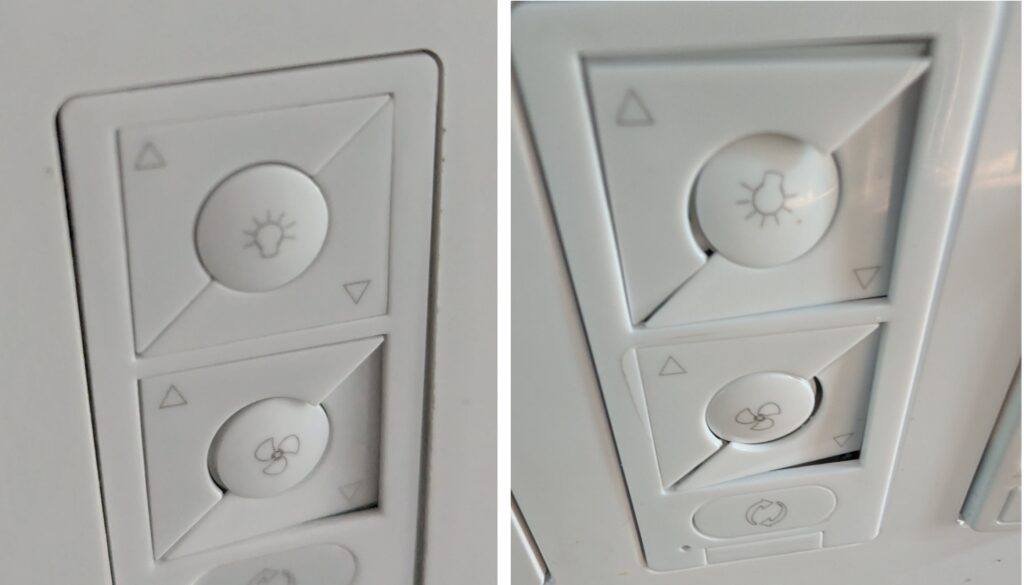
Replacement switched also cost close to $70 and tbh I’d be happy to pay that if they didn’t fail on me.
The Lutron fan remote PD-FSQN-WH was a no go for me
I’ve been in my house 5ish years now, and Lutron is the backbone of our lighting system. they are so dependable / reliable.
It has always bothered me that I could not use the Lutron fan remote PD-FSQN-WH because our fans are DC and those only work with AC power.
Then I thought of the Lutron Pico remote. It is battery powered with no wiring at all.
Lutron Pico for Modern Form Fan Control
When staring at my Home Assistant dashboard one day I realized: MF has an integration, I can just connect this to a PICO / PD-6WCL-WH-R
So I ripped out the MF remote from the wall and was left with this:
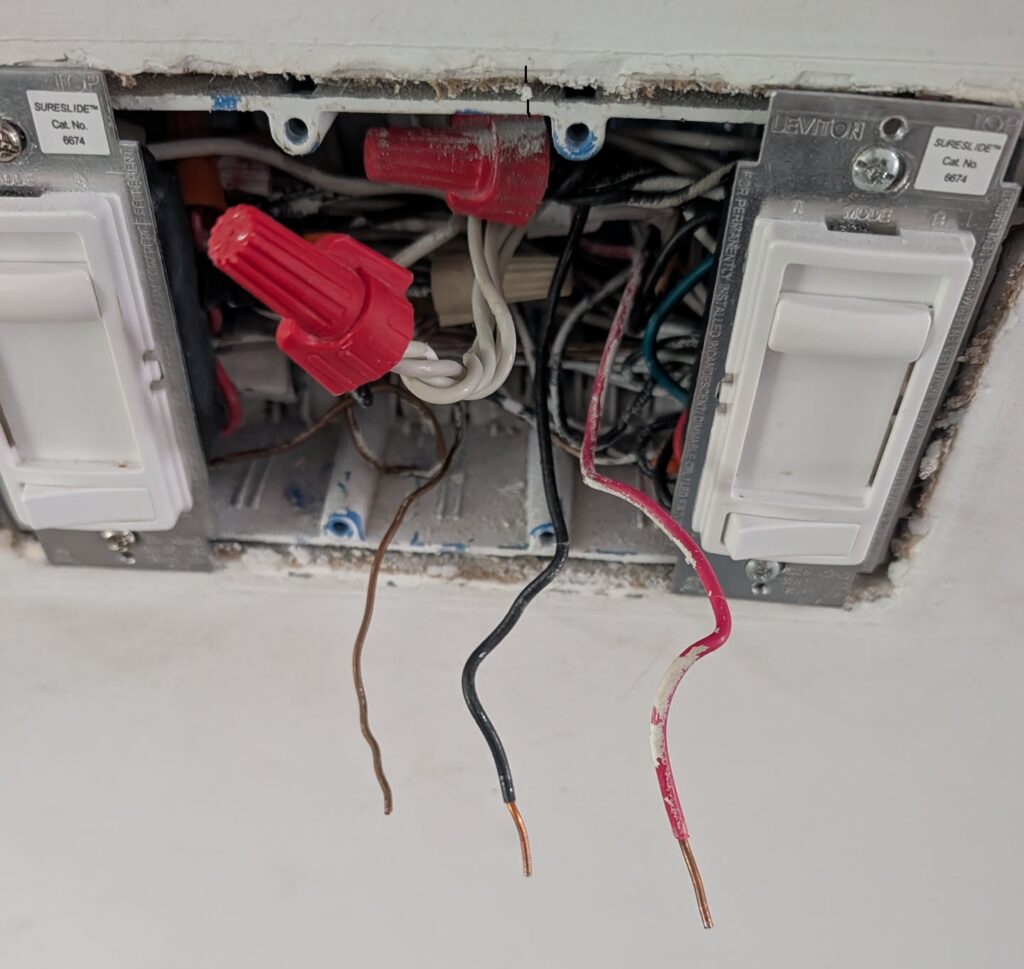
I joined black & red togehter to give the fan constant power. Neutral / ground got capped.
Then tucked them into the wall and mounted the PICO PD-6WCL-WH-R.
I then paired the new pico in the Lutron app and did not assign it to any device.
After pairing the PICO I reloaded Caseta in HA. Also fyi im I’m using the standard smart bridge.
The HA Automation
How my Pico works
- top button (turn fan on)
- dimmer up (fan speed up)
- center button (change direction of fan)
- dimmer down (fan speed down)
- bottom button (turn fan off)
Code looks like this in HA
trigger:
- platform: event
event_type: lutron_caseta_button_event
event_data:
device_id: <your Pico's device id>
action: press
action:
- choose:
- conditions: "{{ trigger.event.data.button_type == 'on' }}"
sequence:
- service: fan.turn_on
target: { entity_id: fan.livingroom }
- conditions: "{{ trigger.event.data.button_type == 'raise' }}"
sequence:
- service: fan.increase_speed
target: { entity_id: fan.livingroom }
# ...etc for off, lower, and stop
It works perfect
Its been a few weeks and it is perfect. I can’t tell you how much I hated those old buttons
The downsides
No beep when you press a fan button…which was actually kind of annoying
Also the fan now depends on my network…which is really not that big of a deal. It is 2027.